Legal OS — the Notion system for Lawyers
Legal OS — the Notion system for Lawyers
Notion template · delivered by email within minutes · lifetime updates included
Couldn't load pickup availability
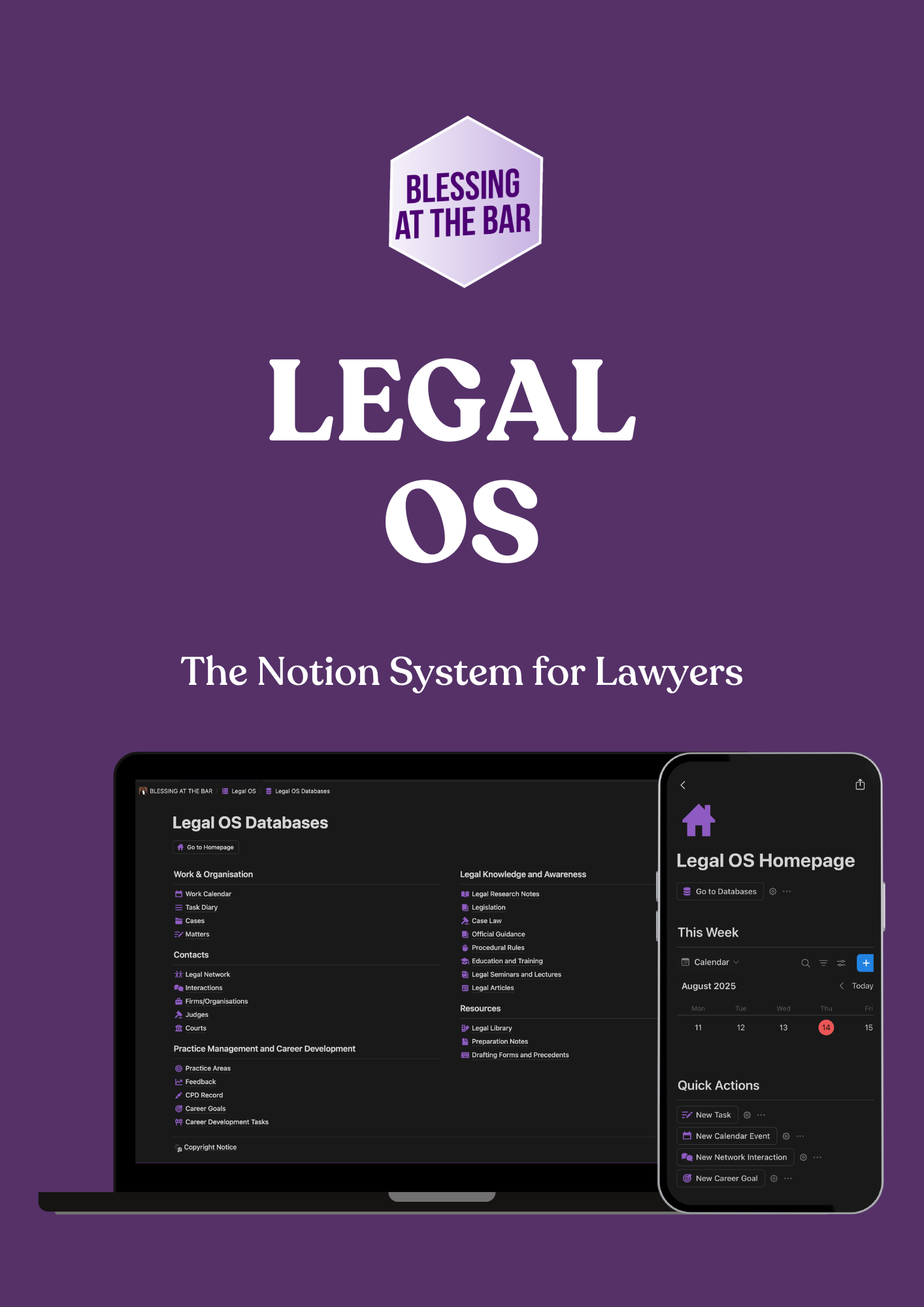
Legal OS is the Notion system a practising barrister built to run her own practice — and now uses every day. Twenty-five linked databases across five areas keep your cases, tasks, fees, contacts, courts, authorities, research, CPD and career goals in one place, so you stop rebuilding the same spreadsheets and start every day knowing what is on.
What's inside
Work & Organisation — Work Calendar, Task Diary, Cases and Matter Types. The Task Diary is built for the Bar: 72 task types from N244s and skeleton arguments to possession hearings, CCMCs and multi-track trials (plus coursework, moots and exam prep for students), sub-tasks, fees in pounds with a Fee Status from pro bono to paid, date briefed, and links to the case, court, judge, opposing counsel, instructing solicitor and practice area. Today, This Week, Upcoming Hearings and Billing views come ready-made, with page templates for a hearing and for advice or drafting.
Contacts — a CRM for the Bar: Legal Network (how you met, who introduced you, pronunciation), an Interactions log with its own calendar, Firms and Organisations, Judges and Courts, seeded with twenty real courts from the County Court at Central London to the Court of Appeal.
Practice Management & Career Development — 40 practice areas with a development-status board, a Feedback log tied to each task and judge, a CPD Record with hours and provider, and Career Goals whose progress is calculated from the tasks beneath them.
Legal Knowledge & Awareness — Legal Research Notes linked to Case Law (with ratio and judgment link), Legislation with parent and child sections, Procedural Rules by chapter and sub-rule, Official Guidance, Education and Training, Seminars and Lectures, and Legal Articles with separate reading and authoring status.
Resources — Legal Library, Preparation Notes and Drafting Forms and Precedents, all linked back to the matter types and practice areas they serve.
Fee intelligence built in
Because every task carries a fee and a status, Legal OS rolls them up for you: total fees per case, per matter type and per practice area, appearance counts per court, and each case's instructing solicitor, court and next hearing date worked out from its tasks. The Homepage dashboard shows this week's calendar and tasks, quick-action buttons, your favourite resources and your career-goal progress.
Learn it in ten minutes
Every database ships with one linked sample record — a single worked possession claim you can click through from case to hearing task to court, judge, instructing solicitor, research note and authority, so you can see how it all connects. A Start Here page walks you through setup and tells you how to clear the samples when you are ready. Getting Started guide, tutorial video and licence page included.
How you receive it
Legal OS is a Notion template. After checkout you receive a link to duplicate it into your own Notion workspace (a free Notion account is all you need). It is yours to keep, and under our lifetime updates policy every future edition of Legal OS is included in this purchase.
Licence
Your purchase is a personal, single-user licence to use Legal OS in your own Notion workspace. Please do not share the duplicate link, resell, redistribute or publish the template or any part of it, or remove the copyright notice. Legal OS is © 2026 Planet Blessing Limited. BLESSING AT THE BAR is a brand of Planet Blessing Limited. This is an independent product and is not affiliated with or endorsed by Notion Labs, Inc.
How you receive it
How you receive it
After checkout you get two emails within a few minutes: your order confirmation, and a download email from BLESSING AT THE BAR with a link to your own download page for each item. The download page gives you the Notion duplicate link and your access-and-licence PDF. A free Notion account is all you need, and every future edition is included under our lifetime updates policy. Your purchase is a personal, single-user licence. If anything will not open, email support@blessingatthebar.com and we will sort it.
Share